
Currently Empty: ₹0.00

Training Program Details
CSI SAFE | EXCEL | MANUAL
With Industry Expert
Course Duration: 2 Months
Training Mode: Live + Recorded (Lifetime Access)
Live Session Timing: 9:00 PM – 10:00 PM
Time Table: 6 Days a Week
Language: English
ABOUT THIS TRAINING
Structural engineering is one of the most demanding specializations of civil engineering. Nowadays, dealing with real-life challenging projects by conventional approaches is too difficult. Industry demands both conceptual understanding of structure and deep knowledge about the trending software's.
Training Content Highlights
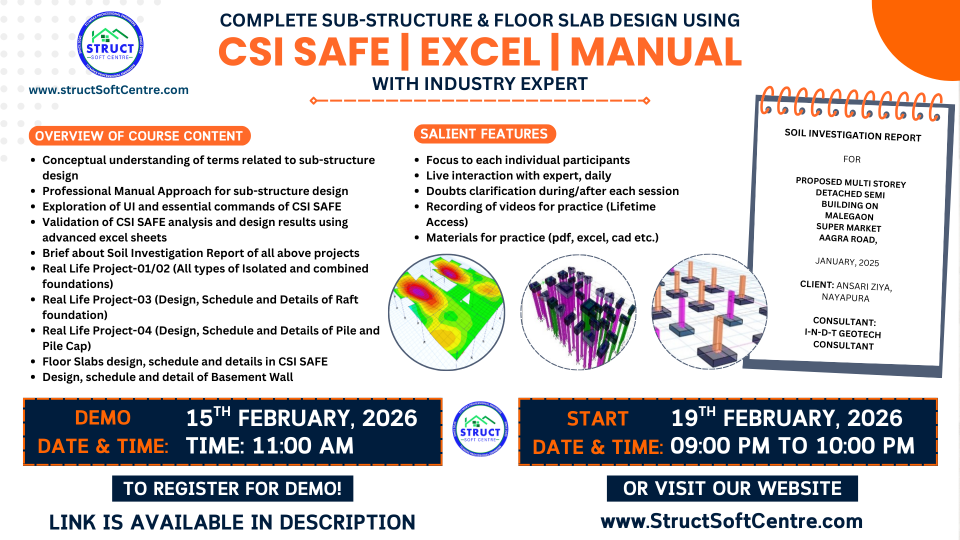
- Conceptual understanding of sub-structure design terms
- Professional Approach for Manual Design of Sub-Structure
- Exploration of UI & essential commands of CSI SAFE
- Validation of CSI SAFE analysis, design results by Excel Sheets
- Brief discussion about the Real Soil Investigation Reports
- Real Life Project-01/02 (Isolated and Combined Foundations)
- Real Life Project-03 (Design,Schedule,Details of Raft Foundation)
- Real Life Project-04 (Design,Schedule,Details of Pile and Pile Cap)
- Real Life Projects-05 (Design,Schedule,Details Floor slab)
- Design schedule and detail of Basement Wall
Training Outcome
- Handling software with confidence
- Validating results with manual approach
- Doing real-life project designs independently
- Completing sub-structure design of medium & high-rise structures
- Performing modal, P-Delta, static & dynamic analyses
COURSE MODULES
Geometry & Interface (The Foundation Layout)
In SAFE, we often import geometry from ETABS. This module covers how to set up the specialized “Soil-Structure” environment.
Importing from ETABS: Bringing in “Base Reactions” and floor geometry.
Defining Subgrade Modulus: Understanding the Soil Spring Constant (k_s)—how the soil pushes back against the concrete.
Material Specifics: Defining concrete grades and specialized reinforcement types.
Drawing Tools: Creating complex slab edges, circular column heads, and drop panels.
Module 2: Soil & Support Modeling
The biggest difference in SAFE is that the “support” isn’t just a point; it’s a surface.
Soil Springs: Modeling different soil zones (e.g., stiffer soil under the core, softer at the edges).
Piles & Springs: Modeling individual pile supports as point springs for pile-cap design.
Area Springs: Converting a Geotechnical Report’s “Allowable Bearing Capacity” into a subgrade modulus for the software.
Wall/Column Stiffness: Understanding how “Stiff” members (columns) affect slab punching shear.
Module 3: Load Cases & Soil Pressure
We aren’t just checking the concrete strength; we are checking if the building will tilt or sink.
Loading Types: Dead, Live, and the critical Soil Pressure check.
Serviceability Combinations: Creating specific “Service-Sustained” and “Service-Total” combinations to check for settlement and cracks.
Buoyancy & Uplift: Accounting for groundwater pressure pushing the foundation upward.
Non-Linear Analysis: Setting up “Uplift Only” springs to ensure soil doesn’t “pull” on the slab (since soil has no tensile strength).
Module 4: The Punching Shear & Deflection Check
In slab design, the slab usually fails in Punching or Deflection long before it fails in bending.
Punching Shear Check: Evaluating the critical perimeter around columns.
Design Strips: Creating “Column Strips” and “Middle Strips” (The equivalent frame method) to distribute reinforcement.
Cracked Deflection: Performing a Long-Term Deflection analysis that accounts for creep, shrinkage, and concrete cracking over 20 years.
Drop Panels & Shear Studs: How to “fix” a failing punching shear check by adding thickness or specialized steel.
Module 5: Design & Reinforcement Details
Turning the Finite Element Analysis (FEA) into a rebar layout.
Flexural Design: Viewing “Intensity Maps” (mm^2/m) to see where the slab needs more steel.
Slab Reinforcement: Designing for “Typical Mesh” plus “Extra Top/Bottom Bars” at supports.
Beam Design (in SAFE): Designing integrated foundation beams (Grade Beams) or edge beams.
Output Reports: Generating schedules for pile reactions and settlement contours for the Geotechnical Engineer’s approval.
LEVELS COVERED IN THIS TRAINING PROGRAM
Beginner Level
Manual design of all major footing types with strong conceptual clarity and professional approach.
Intermediate Level
Practical usage of CSI SAFE software including UI understanding, application, and validation of design results.
Advance Level
Real project execution with soil investigation reports and complete sub-structure design workflow.
THIS TRAINING INCLUDES
Study & Practice Material
Discussion Forum
Watch on Any Device
Certificate of Completion
Who Can Take This Training Program?
2- Want to change career from site to design engineer
Lorem ipsum dolor sit amet, consectetur adipiscing elit, sed do eiusmod tempor incididunt ut labore et dolore magna aliqua.
3- Working Professionals, Site Engineers, Professors
Lorem ipsum dolor sit amet, consectetur adipiscing elit, sed do eiusmod tempor incididunt ut labore et dolore magna aliqua.
Why Choose Us?
Training on Real Example Projects
Top-Level Practice & Study Materials
Build Your Structural Design Portfolio
FAQ
Is this a Live or Recorded training program?
It is a Live Training Program. Additionally, high-quality recordings of each session will be provided for your lifetime reference.
What is the total duration of the training program?
The program consists of 2 Months of Live Interactive Sessions. This timeline is carefully designed to cover all technical concepts with practical real-world examples.
How long will I have access to the session recordings?
You will receive Life time Validity. You can revisit and watch the recordings whenever you need, without any time restrictions.
What is the schedule for the live sessions?
Classes are held 6 days a week.
🕒 8:00 PM – 9:00 PM (IST)